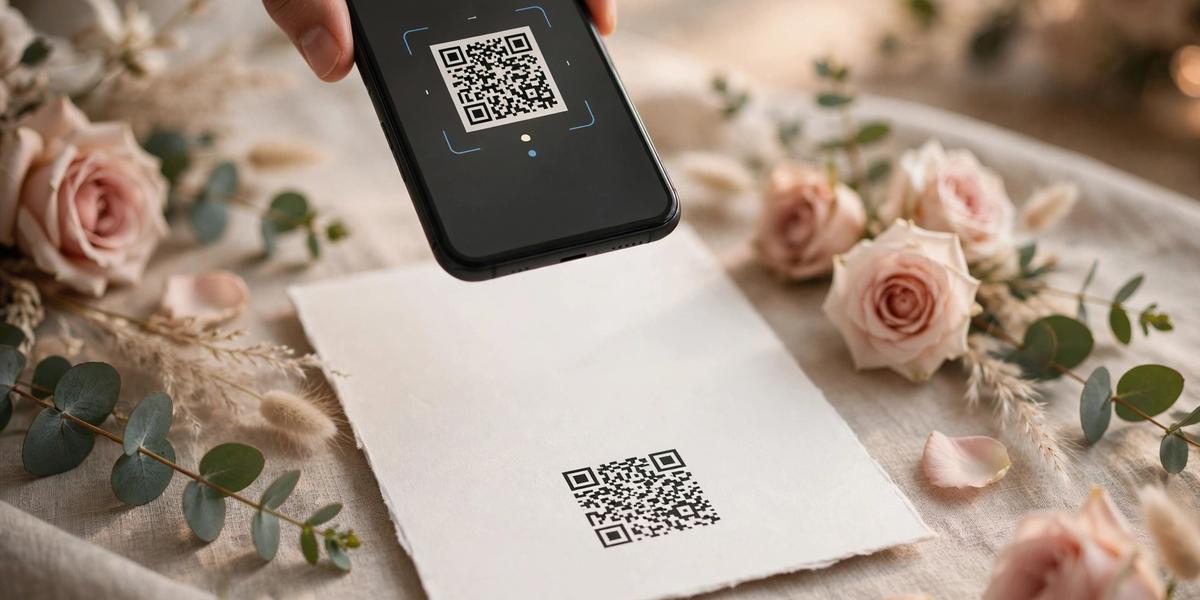
QR Code Wedding Invitations: Link Guests to Your Free Wedding Website (2026)
Short answer: A QR code on your wedding invitation lets guests scan straight to your wedding website — details, RSVP, map, everything. It costs nothing to add, takes five minutes to generate, and saves you from cramming every detail onto paper. Here's how to do it right: what the code should open, where to place it, what to write next to it, and the mistakes that make guests give up and call you instead.
Why QR codes belong on wedding invitations in 2026
Paper invitations are beautiful and here to stay — but they're terrible at holding information. Venue address, parking instructions, dress code, full schedule, RSVP link, registry, hotel block… cram all of that onto a 5×7 card and it stops being elegant.
A QR code solves the space problem without sacrificing the design. One small square in the corner carries your guests to everything else. And by now, scanning a QR code is second nature to most adults — years of restaurant menus trained everyone.
The honest framing, though: a QR code is a convenience, not a replacement for clear information. Your invitation still needs the essentials in print — names, date, time, venue. The QR handles everything beyond that. And for older guests who won't scan, always print the plain website URL underneath the code too.
What your QR code should open (this matters more than the code)
Most couples point their QR code at a generic RSVP form or a shared document. That's a wasted opportunity — and a confusing one. Your guest scans expecting "the wedding" and lands on a bare form with no context.
The QR should open your wedding website: one beautiful page or site with the full story — details, schedule, RSVP, map, photos, FAQ. The scan should feel like arriving somewhere, not like filling out paperwork.
And here's the part nobody selling QR invitation suites mentions: that website can be free. Not a monthly builder page — a free HTML wedding website template you own, on free hosting. The QR code costs $0 to generate and the website costs $0 to run; the only money involved is the paper you're already printing. If you're going fully digital instead of paper, see our free digital wedding invitation templates guide.
Step 1: Build the free wedding website first
Before generating any code, you need a destination worth scanning to. Finalize the site, deploy it, and test the live URL on your phone — that URL is what goes inside the QR code.
The invitation-style pick: TwoHearts. A one-page site designed like a digital invitation — countdown timer, love-story timeline, gallery, and RSVP form. It pairs naturally with a QR code because the whole page is the invitation experience: guests scan the paper card and land on its digital twin.
The full-site pick: Everly. A complete multipage wedding website — story, details, RSVP, gallery, FAQ, registry. Best when your QR needs to carry guests to a lot: travel info, accommodation, schedule, plus-one policy.
Also worth a look: EternalLove for a classic elegant one-pager, or Elegant Wedding if your invitation design is minimalist and you want the site to match.
All four are free to download and free to host (Netlify, Vercel, or GitHub Pages — drag-and-drop, about ten minutes). For the full price math, see our 2026 wedding website cost breakdown: this route is genuinely $0.
Step 2: Generate the QR code free (5 minutes)
You don't need to buy anything. Well-known free QR generators — QRCode Monkey, Canva's built-in generator, and similar tools — create high-resolution codes at no cost.
A few technical must-dos:
- Use a static QR code, not a "dynamic" one. Dynamic codes route through the generator's servers and usually sit behind a paywall or expire. A static code encodes your URL directly and works forever.
- Generate at high resolution (at least 1000×1000 px) so it prints crisp, not blurry.
- Shorten your URL first if it's long — a shorter URL makes a simpler, easier-to-scan code. Free hosts give you a short default address.
- Test with two or three different phones (iPhone and Android, ideally one older model) before you print 150 of them.
Step 3: Design and placement — where the code goes
The QR code should feel like part of the invitation design, not a sticker slapped on afterward.
Best placements:
- Back of the invitation — the classic spot. The front stays pristine; guests flip for details.
- A separate details card — if you're already including one, the QR lives there naturally next to the website mention.
- Bottom corner of the main card — works with minimalist designs; keep it small and quiet.
Design rules:
- Keep quiet space (margin) around the code — at least the width of one QR "square" on all sides. Crowding it against text or borders breaks scanning.
- Black on white scans most reliably. If you recolor it to match your palette, keep the contrast high — soft blush on cream will fail.
- Minimum print size is about 2×2 cm (0.8 inch). Smaller than that, and older phone cameras struggle.
- Always print the plain URL beneath it ("or visit emmaandjames.com") — for guests who won't scan, and as backup if a print run smudges.
What to write next to the QR code (wording examples)
Don't drop a naked code on the card — tell guests what they'll get. Borrow these:
- "Scan for details & RSVP"
- "Scan to RSVP and see the full celebration details"
- "Everything you need to know — scan or visit [your URL]"
- "Scan for schedule, travel info & RSVP"
- With a deadline: "Kindly scan to reply by June 1st"
One line is enough. The code plus one clear sentence beats a paragraph of explanation.
Mistakes to avoid
- Linking to the wrong thing. A bare form with no wedding context confuses guests. Link to your full website.
- Generating the code before the site is live. Printers don't wait — finalize and test your URL before the print run.
- Using a dynamic or tracked QR from a paid service. If the subscription lapses, 150 invitations point nowhere. Static codes don't expire.
- Skipping the printed URL. Some guests won't scan; some phones won't cooperate. The URL is your safety net.
- Burying the essentials. Names, date, time, and venue stay on paper. The QR is for everything else — never the only place the basics appear.
- Testing on one phone. Camera quality varies wildly. Test on several, including an older one.
- Tiny or low-contrast codes. If it looks elegant but doesn't scan, it's decoration, not a tool.
Frequently asked questions
Do I still need to print all the details if I have a QR code?
No — that's the point. Print the essentials (names, date, time, venue, city) and let the QR carry the rest: full schedule, travel and hotel info, dress code, registry, FAQ, and RSVP. Just never make the QR the only place the basics live.
Will older guests use a QR code?
Some will, some won't — which is exactly why you print the plain website URL under the code. Keep the site itself simple and readable (large text, an obvious RSVP button), and include your phone number for anyone who'd rather call. In practice, most guests manage a scan; the URL covers the rest.
Is it tacky to put a QR code on a formal invitation?
Not anymore. A small, well-placed code on the back or a details card reads as modern and thoughtful — far less tacky than a cramped card covered in tiny text. What does look cheap is a blurry, oversized code dominating the design. Keep it small, quiet, and intentional.
Can the QR code link to my RSVP only?
It can, but link to your whole wedding website instead — guests get context (whose wedding, when, where) before the form. Our free RSVP website guide shows how the RSVP page fits into the full site.
What if I change my website URL after printing?
You can't — a static QR encodes the exact URL. This is why you finalize the site first, and why a custom domain (roughly a small yearly fee) is worth considering: the domain stays yours even if you change hosts. Either way: no URL changes after the print run.
Are free QR generators safe to use?
For static codes, yes — the code is just your URL encoded as an image; nothing phones home. Avoid generators that force account creation or push "dynamic" codes with subscriptions. Download the PNG or SVG and you're done with them forever.
Can I use one QR code for everything — RSVP, details, photos?
Yes, if it all lives on one website — which is the whole argument for building the site first. One code → your homepage → guests navigate to RSVP, details, and gallery from there. Don't print three different codes; nobody scans the third one.
The bottom line
A QR code on your wedding invitation is the cheapest upgrade in wedding stationery: $0 to generate, seconds for guests to use, and it rescues your invitation design from information overload. Build the free website first — TwoHearts for invitation-style, Everly for the full site — generate a static code, place it with care, print the URL underneath. Your paper invitation finally does what it should: invite, while the website does the rest.