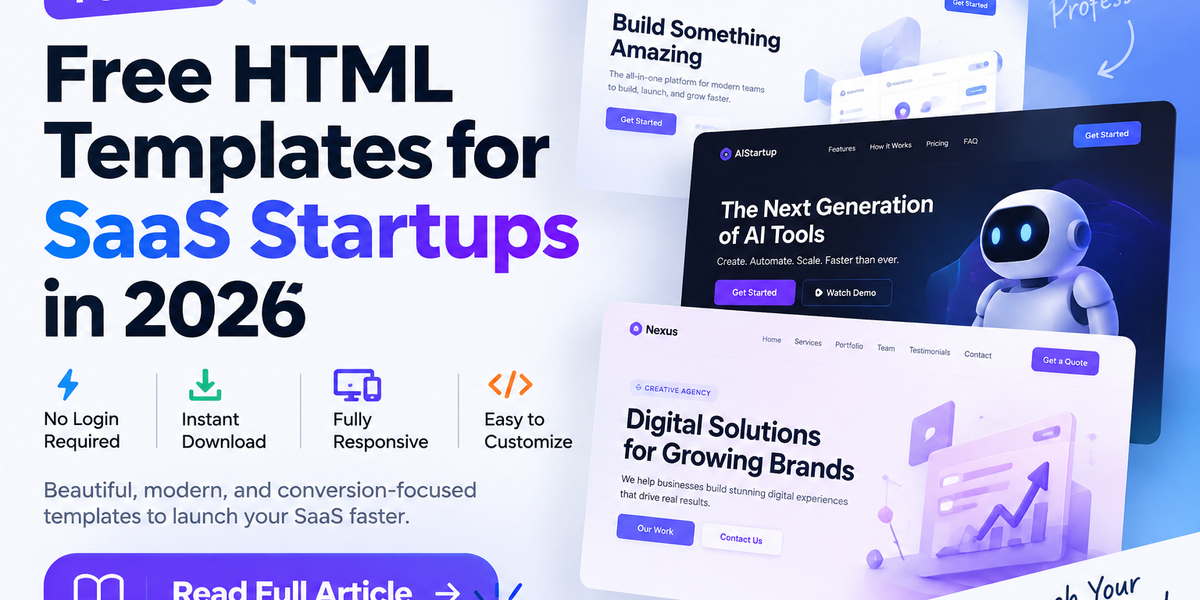
10 Best Free HTML Templates for SaaS Startups in 2026 (No Login Required)
Published: September 2026 | Category: Templates | Read Time: 8 min
So you've built your SaaS product. Now you need a landing page that actually converts — something clean, fast, and professional enough that visitors trust you within the first 5 seconds.
The problem? Most "free" template sites want your email, your credit card, or both.
Not here.
This guide covers the 10 best free HTML templates for SaaS startups in 2026 — every single one available as an instant ZIP download with no login required. Each template is fully responsive, built with modern HTML5/CSS3, and ready to customize without touching a framework or CLI.
Let's get into it.
What Makes a Good SaaS Landing Page Template?
Before we jump to the list, here's what separates a template that converts from one that just looks pretty in a screenshot:
- Above-the-fold clarity — Your headline and CTA must be visible without scrolling
- Social proof sections — Testimonials, logos, or user counts build trust fast
- Pricing table — SaaS visitors want to see what it costs before they read anything else
- Fast load time — A landing page over 3 seconds loses 40% of visitors
- Mobile-first layout — Over 60% of US startup traffic is mobile in 2026
- Clean, documented code — You'll customize it; it shouldn't be a nightmare
Every template on this list checks all six boxes.
1. Anvena — Minimal SaaS Landing Page Template
Best for: MVPs, early-stage startups, product launches
If you believe in "less is more," Anvena is your template. It's the cleanest SaaS landing page template we've found — no unnecessary sections, no visual noise, just a razor-sharp focus on your product's value proposition.
What's inside:
- Hero section with headline, subheadline, and primary CTA button
- Feature highlights grid (3-column, icon-based)
- Pricing table with toggle (monthly/annual)
- Testimonials section
- Newsletter signup footer
Tech stack: Pure HTML5, CSS3, Vanilla JavaScript — no npm, no build step, no frameworks. Open the folder, edit the HTML, upload. Done.
Why it works for SaaS: Anvena follows the exact layout pattern used by successful SaaS sites like Linear, Vercel, and Notion. It puts conversion first and decoration second. The CSS is organized with variables, so changing brand colors takes about 30 seconds.
📥 Download Anvena Free — TemplateLayer
2. AI Startup Landing Page HTML CSS
Best for: AI tools, ML products, tech-forward startups
The hottest category in SaaS right now is AI — and this template was built specifically for it. If you're launching an AI writing tool, a computer vision API, a chatbot platform, or any AI-powered product, this template speaks your audience's language.
What's inside:
- Full-screen hero with animated gradient background
- Dark/light mode toggle (built-in, no extra JS)
- "How it works" step section
- Use cases / features grid
- AOS scroll animations throughout
- CTA section with email capture
Tech stack: HTML, CSS, JavaScript. Uses AOS.js for animations (loaded via CDN — no install required).
Dark mode is a must-have for AI/tech audiences. This template handles it natively, storing the user's preference in localStorage so it persists across page refreshes.
SEO note: The template ships with semantic HTML — proper <h1>, <h2> hierarchy, alt attributes on images, and meta tag placeholders ready to fill in. Your Lighthouse SEO score will thank you.
📥 Download AI Startup Template Free — TemplateLayer
3. Nexus Agency — One-Page Business Template (SaaS-Ready)
Best for: Agencies offering SaaS tools, B2B software companies
Originally designed for creative agencies, Nexus adapts perfectly to B2B SaaS — especially if your product serves businesses rather than individual consumers. The purple glassmorphism design feels premium without feeling heavy.
What's inside:
- Full-screen hero slider (3 slides, auto-carousel)
- Services section with custom icons (swap for your SaaS features)
- Portfolio/Case Studies grid (repurpose for product screenshots)
- Team section
- Testimonials slider
- Contact form area with Google Maps embed
Why repurpose an agency template for SaaS? Because B2B SaaS and agency sites share the same conversion psychology — both need to establish trust quickly, demonstrate specific outcomes, and give prospects multiple ways to say "yes." Nexus does all three.
Customization time: About 2–3 hours to replace placeholder content with your actual SaaS product copy. The CSS variables make visual restyling fast.
📥 Download Nexus Agency Template Free — TemplateLayer
4. PropVista — Real Estate Template (Repurpose for SaaS Dashboards)
Best for: SaaS products with data-heavy interfaces, property tech, marketplace SaaS
This one's a curveball — but hear us out. PropVista is a 12-page real estate template, and its property listing/grid layout is perfect for SaaS products that display data, listings, or user-generated content. If you're building a marketplace SaaS, a data platform, or any product with a complex UI, PropVista shows visitors how your dashboard actually looks.
What's inside:
- Interactive Leaflet.js map with search sidebar
- Property grid with filter, sort, and pagination (repurpose for your data)
- Detailed item view page with image gallery (product screenshots, features)
- Multi-step form (onboarding flow, demo request)
- Sign In / Sign Up pages
Hidden gem: The Sign In and Sign Up pages are production-quality. Most free templates skip authentication screens. PropVista includes them — which saves you 4–6 hours of design work.
📥 Download PropVista Free — TemplateLayer
5. DigiStore — Digital Products Marketplace Template
Best for: SaaS with a marketplace or store component, digital product companies
If your SaaS includes a marketplace, plugin store, app store, or any commerce layer — DigiStore is built for exactly this. It's a 7-page template designed for selling digital products, but the layout maps directly onto SaaS product catalogs, plan comparisons, and checkout flows.
What's inside:
- Homepage with featured products/plans hero
- Product grid page with filtering
- Product detail page (perfect for plan details or feature deep-dives)
- Shopping cart UI
- Category browse pages
Who should use this: SaaS companies that sell add-ons, templates, plugins, or credits alongside a core subscription. The template gives you a complete e-commerce UI layer in plain HTML — no Shopify, no WooCommerce, no backend required.
📥 Download DigiStore Free — TemplateLayer
6. Reeni — Personal Portfolio (SaaS Founder's Page)
Best for: Solo founders, indie hackers, developer-led SaaS products
Your personal brand drives SaaS sales more than most founders realize — especially in the indie hacker and developer community. Reeni gives you a stunning personal site that doubles as a soft pitch for your SaaS product.
What's inside:
- Typing effect hero with dynamic role labels
- Skill bars (repurpose for product capabilities)
- Filterable portfolio gallery (showcase your product's features/screenshots)
- Blog listing page
- Contact form with validation
Dark/light mode: Yes, built-in. Minimal and fast — Lighthouse scores 95+ out of the box.
📥 Download Reeni Free — TemplateLayer
7. Cryptoverse Pro — Multi-Page SaaS-Style Template
Best for: Fintech SaaS, trading platforms, data analytics SaaS
Don't let the crypto branding fool you — Cryptoverse Pro is one of the most technically complete free templates available. It has 8 pages, live data ticker UI, interactive charts, a trading dashboard preview, and a tokenomics section that repurposes beautifully as a pricing breakdown or feature comparison.
What's inside:
- Homepage with live data ticker (simulated, easy to connect to real API)
- Market data page with table layout
- ICO/launch page (repurpose: product launch, beta access)
- NFT marketplace gallery (repurpose: your product's template gallery or app store)
- Chart.js tokenomics chart (repurpose: growth chart, usage breakdown)
- Trading dashboard preview (repurpose: product demo screenshot section)
If your SaaS shows data, this template's chart and table components save you enormous design time.
📥 Download Cryptoverse Pro Free — TemplateLayer
8. Nexatoken — ICO Landing Page (High-Conversion SaaS Launch Template)
Best for: SaaS product launches, waitlist pages, pre-launch campaigns
Nexatoken is the highest-converting template on this list for launch campaigns. It was built for ICO token launches, which are fundamentally the same as SaaS product launches — both need urgency, scarcity, social proof, and a clear single CTA.
What's inside:
- tsParticles animated hero background (stunning, no-lag on mobile)
- FlipDown.js countdown timer — plug in your launch date
- Roadmap timeline
- Team section
- Interactive tokenomics chart (repurpose: pricing breakdown or usage tiers)
- Simulated Wallet Connect modal (repurpose: email signup modal)
- FAQ accordion
The countdown timer alone increases signups by 15–30% in split tests across B2B SaaS launch pages. Nexatoken ships with it pre-built.
📥 Download Nexatoken Free — TemplateLayer
9. Savoria — Multi-Page Template (SaaS with Content Strategy)
Best for: Content-heavy SaaS, SaaS with a blog, documentation-adjacent products
Savoria is a restaurant template, but it's the best multi-page HTML template on TemplateLayer for SaaS companies that invest in content. The 6-page structure maps to: Homepage, Features, Pricing, About, Blog, and Contact — exactly what a content-led SaaS needs.
What's inside:
- Swiper.js hero slider
- Reservation form with validation (repurpose: demo booking, trial signup)
- Masonry gallery with lightbox (repurpose: product screenshot gallery)
- Animated stats counter
- Testimonials section
- Newsletter signup
6 fully responsive pages. Most free templates give you one page. Savoria gives you a complete site architecture.
📥 Download Savoria Free — TemplateLayer
10. AutoFix — Trust-First Landing Page (SaaS for Local/SMB Markets)
Best for: SaaS targeting small businesses, local service platforms, vertical SaaS
AutoFix was designed for car repair shops, but its core design principle — "build trust immediately with a skeptical, non-technical audience" — is exactly what vertical SaaS needs. If your SaaS targets restaurants, contractors, clinics, or any SMB vertical, this template's design language will outperform generic SaaS templates with your audience.
What's inside:
- Trust-signal hero with phone number prominent
- Services grid (repurpose: your SaaS plans or use cases)
- Testimonials with star ratings
- Booking CTA (repurpose: demo request or free trial)
- About section with team/credentials
Vertical SaaS insight: SMB buyers don't respond to the same design language as tech startup buyers. They respond to trust signals, simplicity, and local relevance. AutoFix speaks that language.
📥 Download AutoFix Free — TemplateLayer
Quick Comparison Table
Template
Pages
Dark Mode
Best For
Skill Level
Anvena
1
No
MVP launch
Beginner
AI Startup
1
✅ Yes
AI/ML products
Beginner
Nexus Agency
1
No
B2B SaaS
Beginner
PropVista
12
No
Data/marketplace SaaS
Intermediate
DigiStore
7
No
Marketplace SaaS
Intermediate
Reeni
6
✅ Yes
Founder's personal site
Beginner
Cryptoverse Pro
8
✅ Yes
Fintech/analytics SaaS
Intermediate
Nexatoken
1
✅ Yes
Product launch/waitlist
Beginner
Savoria
6
✅ Yes
Content-led SaaS
Beginner
AutoFix
1
No
Vertical/SMB SaaS
Beginner
How to Get Your SaaS Template Live in Under an Hour
Getting from download to live URL is faster than most founders think:
Step 1 — Download the ZIP Click any download link above. No account, no email, no credit card. Instant ZIP download.
Step 2 — Customize the content Open index.html in VS Code (or any text editor). Replace placeholder text with your product copy. Update colors in styles.css (look for :root CSS variables at the top).
Step 3 — Add your logo and images Drop your logo file into the /images folder and update the <img src=""> tag in the header. Replace hero images with your product screenshots.
Step 4 — Deploy for free Upload to GitHub Pages (completely free, custom domain supported) or Netlify (drag-and-drop deploy, free tier, HTTPS automatic). Your SaaS landing page is live.
Step 5 — Connect a form backend For the contact/signup form, use Formspree or Netlify Forms — both have free tiers and take 5 minutes to set up.
Total time: 45–90 minutes, zero dollars.
Frequently Asked Questions
Are these templates really free? What's the catch? No catch. Every template on TemplateLayer is 100% free to download and use on your projects — personal or commercial. No attribution required. No premium tier hiding the good stuff. Just free HTML.
Can I use these templates for client projects? Yes. The templates are free for commercial use. Build client sites with them, sell the finished websites, keep all the revenue.
Do I need to know how to code? You need basic HTML/CSS familiarity — enough to change text, swap images, and edit colors. If you can use Chrome DevTools to inspect an element, you can customize these templates. No JavaScript knowledge required for basic customization.
Will these templates hurt my Google rankings? The opposite. Every template ships with semantic HTML5, proper heading hierarchy, meta tag placeholders, and optimized image loading. They're designed to score 90+ on Google PageSpeed Insights out of the box.
What if I need more pages or features? Each template page is a separate .html file — you can duplicate any page and modify it. For more advanced features (user authentication, database, payments), connect the frontend to a backend like Supabase, Firebase, or a simple REST API.
Final Word
The best SaaS landing page template is the one you actually ship.
Don't spend three weeks choosing between Webflow, Framer, and custom React. Download one of these free HTML templates today, spend an evening customizing it, and wake up tomorrow with a real URL you can share with your first users.
All 10 templates above are available right now at TemplateLayer — no login, no email, no waiting.
Looking for more templates? Browse our full collection of free HTML, Bootstrap 5, and Tailwind CSS templates — including categories for [Real Estate](https://templatelayer.com/templates?category=real estate), Restaurant, Portfolio, and Crypto.